





Part 2 breaks down the economics of modern LLM sizing, and the real memory and compute costs of running today’s models.
Sizing: Dense vs MoE, and What Each Costs
This is the section most people get wrong.
The two parameter numbers that matter
Every modern LLM has two relevant sizes:
- Total parameters — how big the model is on disk and in memory. Determines hardware capacity required.
- Active parameters per token — how many parameters actually compute for each token generated. Determines throughput (tokens/sec) and energy cost.
For dense models, these numbers are the same. Llama 3.3 70B uses all 70B for every token.
For MoE (Mixture of Experts), they’re very different. DeepSeek V4-Pro has 1.6T total but only 49B active per token. The model is enormous in memory but computes like a 49B for each token generated. That’s the entire point of MoE — capacity without proportional compute.
Practical implications
| Dense | MoE | |
|---|---|---|
| Memory required | = total params × bytes/param | = total params × bytes/param (same — all experts must be loaded) |
| Throughput per GPU | proportional to total params | proportional to active params |
| Best at | predictable behavior, easy fine-tuning, single-GPU deployment | high-volume serving, frontier capability without frontier compute |
| Worst at | scaling capacity beyond what fits on one GPU | small-scale single-user deployment (you pay full memory cost without serving enough users to amortize it) |
Rule of thumb: if you have one user or a few, dense models give better quality per GB of VRAM. If you’re serving many concurrent users, MoE wins decisively because you pay the memory cost once and serve many requests at the active-param speed.
The memory math
Approximate memory needed to load a model:
memory ≈ parameters × bytes_per_parameter + KV cache + overhead
Bytes per parameter:
| Precision | Bytes/param | Quality | When to use |
|---|---|---|---|
| FP16 / BF16 | 2 | Reference | Production serving on data-center GPUs |
| FP8 | 1 | Near-reference | Modern H100/H200 production serving |
| INT8 | 1 | Tiny loss | Production serving when FP8 unavailable |
| INT4 (Q4_K_M, AWQ, GPTQ) | 0.5 | Small but acceptable | The default for local inference |
| INT3 / INT2 | 0.25–0.4 | Noticeable degradation | Last resort to fit a frontier model on consumer hardware |
Add 10–30% overhead for KV cache (scales with context length) and runtime.
Special case — native INT4 models like Kimi K2.6 are quantization-aware-trained, which means INT4 inference is the intended deployment, not a degraded fallback. Quality loss vs full-precision is essentially zero.
Worked examples (current models)
| Model | Total params | Active params | Memory at FP16 | Memory at INT8 | Memory at INT4 |
|---|---|---|---|---|---|
| Gemma 4 9B | 9B (dense) | 9B | ~18 GB | ~9 GB | ~5 GB |
| Mistral Small 3 24B | 24B (dense) | 24B | ~48 GB | ~24 GB | ~12 GB |
| Qwen 3.5 27B | 27B (dense) | 27B | ~54 GB | ~27 GB | ~14 GB |
| Qwen 3.6 35B-A3B (MoE) | 35B | 3B | ~70 GB | ~35 GB | ~18 GB |
| Llama 3.3 70B | 70B (dense) | 70B | ~140 GB | ~70 GB | ~35 GB |
| Llama 4 Scout (MoE) | 109B | 17B | ~218 GB | ~109 GB | ~55 GB |
| Qwen 3.5 122B-A10B (MoE) | 122B | 10B | ~244 GB | ~122 GB | ~61 GB |
| DeepSeek V4-Flash (MoE) | 284B | 13B | ~568 GB | ~284 GB | ~142 GB |
| Llama 4 Maverick (MoE) | 400B | 17B | ~800 GB | ~400 GB | ~200 GB |
| Qwen 3.5-397B-A17B (MoE) | 397B | 17B | ~794 GB | ~397 GB | ~199 GB |
| Kimi K2.6 (MoE, native INT4) | 1T | 32B | — | — | ~500 GB (native) |
| DeepSeek V4-Pro (MoE) | 1.6T | 49B | ~3.2 TB | ~1.6 TB | ~800 GB |
These are weights only. Add 10–30% on top for KV cache and overhead.
Part 3 — Hardware: CUDA and MLX, Real Numbers
Two viable paths in 2026: NVIDIA CUDA (the production standard) and Apple MLX/Metal (the value play for single-user large-model inference). AMD is improving but not yet a mainstream production choice for LLM serving.
Tier 1 — Single consumer GPU (NVIDIA)
| Hardware | VRAM | What runs (INT4) | What runs (FP16) | Realistic use |
|---|---|---|---|---|
| RTX 3060 12GB | 12 GB | Up to ~13B dense, Gemma 4 9B INT4 | Up to ~7B dense | Hobbyist, learning, dev box for small models |
| RTX 4070 Ti / 5070 16GB | 16 GB | Up to ~22B dense, Gemma 4 9B FP16 | Up to ~8B dense | Small coding assistant, Gemma agents |
| RTX 4090 24GB | 24 GB | Up to ~34B dense, Qwen 3.6 35B-A3B | Up to ~13B dense | The real sweet spot for solo developers |
| RTX 5090 32GB | 32 GB | Up to ~50B dense, Mistral Small FP8 | Up to ~16B dense | More headroom, future-proofs context length |
Throughput examples (RTX 4090):
- Llama 3.3 70B Q4 — ~20–35 t/s
- Qwen 3.6 35B-A3B Q4 — ~50–80 t/s (MoE advantage — only 3B active)
- Mistral Small 24B Q4 — ~40–60 t/s
Real production scenarios at this tier:
- Solo developer running a private coding assistant (Devstral 24B or Qwen 3.6 35B-A3B).
- Small team’s internal RAG over company docs (Llama 3.3 70B Q4).
- A startup prototype before moving to production hardware.
- Local agentic workflows for power users (Gemma 4 9B with tool calling).
Tier 2 — Multi-GPU consumer workstation
| Hardware | VRAM | What runs | Realistic use |
|---|---|---|---|
| 2× RTX 4090 (tensor parallelism in vLLM) | 48 GB | Llama 3.3 70B FP8, Qwen 3.6 35B-A3B FP16 | Small-team production serving, fine-tuning experiments |
| 2× RTX 5090 | 64 GB | 70B at FP16, Llama 4 Scout at INT4 | Serious local serving, mid-tier MoE deployment |
| 4× RTX 4090 / 5090 | 96–128 GB | Llama 4 Scout at FP8/FP16, Qwen 3.5 122B-A10B at INT4 | Single-tenant production for an internal tool |
Caveat: Consumer GPUs aren’t designed for sustained 24/7 load. Cooling and power become real engineering problems. For anything beyond a single workstation, consider data-center GPUs.
Real production scenarios:
- Mid-size SaaS internal AI tooling for ~50–200 employees.
- Fine-tuning a 70B model with LoRA / QLoRA.
- Running an internal inference server for a 5–20 person engineering team.
Tier 3 — Apple Silicon (MLX / Metal)
Where Apple is genuinely competitive — and where most people misunderstand the trade-off.
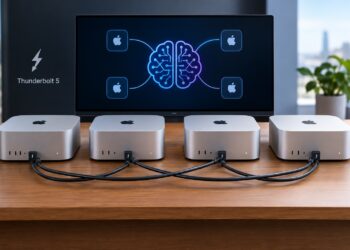
The advantage: unified memory. A Mac Studio with 256GB of unified memory can hold models that would otherwise require 4–8× H100s — at a fraction of the price (~$10K for the Mac vs $80K+ for the GPU equivalent).
The catch: lower throughput per request. Apple’s GPU cores have lower raw FLOPS than data-center NVIDIA, and the inference software stack (MLX, llama.cpp Metal backend) doesn’t yet match CUDA’s optimizations (FlashAttention variants, FP8 acceleration, advanced batching).
| Hardware | Unified memory | What runs comfortably (INT4) | Realistic use |
|---|---|---|---|
| MacBook Pro M4 Max 36GB | 36 GB | Up to ~50B dense, Qwen 3.6 35B-A3B | Solo dev coding assistant |
| MacBook Pro M4 Max 64GB | 64 GB | Llama 3.3 70B Q4, Qwen 3.5 122B-A10B Q4 | Power user, demos, model evaluation |
| Mac Studio M3 Ultra 96GB | 96 GB | Llama 3.3 70B FP8, Llama 4 Scout INT4 | Heavy single-user, small office shared assistant |
| Mac Studio M3 Ultra 192GB | 192 GB | Llama 4 Scout FP8, Llama 4 Maverick INT4, DeepSeek V4-Flash INT4 | Single-user frontier-MoE inference |
| Mac Studio M4 Ultra 256–512GB | 256+ GB | DeepSeek V4-Flash FP8, Kimi K2.6 native INT4, V4-Pro at heavy quant | Serious local frontier inference; the “running 1T models locally” headline machine |
Throughput examples (Mac Studio M3 Ultra, real benchmarks):
- Llama 3.3 70B Q4 — ~10–15 t/s (vs 20–35 on 4090, but Mac fits much larger models)
- Qwen 3.6 35B-A3B Q4 — ~25–40 t/s; MLX is roughly 2× faster than Ollama on the same model — worth knowing
- Kimi K2.6 native INT4 — single-digit t/s but it runs at all, which is the point
- DeepSeek V4-Flash INT4 — ~5–10 t/s on 192GB+ machines
MLX vs llama.cpp on Apple Silicon: MLX (Apple’s native framework) gives the best performance for many models — up to 2× over llama.cpp Metal on Qwen 3.6 35B-A3B in published benchmarks. llama.cpp has wider model support. Most people end up using both depending on the model.
Real production scenarios:
- Solo developer or small team running Llama 3.3 70B or Qwen 3.6 35B-A3B locally for daily coding work — best price/performance for this use case in 2026.
- Researcher evaluating frontier open models without datacenter access.
- Small consultancy giving on-site demos of large models.
- Privacy-focused power user running a frontier model fully offline.
- The 256GB+ Mac Studio specifically for “demonstrating Kimi K2.6 or DeepSeek V4-Flash on a single machine.”
What MLX is NOT good for: high-concurrency serving. If you need to serve more than ~5 concurrent users, NVIDIA wins decisively.
Tier 4 — Single data-center GPU
| Hardware | VRAM | What runs (FP16) | Throughput characteristics |
|---|---|---|---|
| A100 80GB | 80 GB | Llama 3.3 70B FP16, Mistral Large dense, Qwen 3.6 35B-A3B with huge context | Reliable workhorse; ~2× slower than H100 but cheaper |
| H100 80GB | 80 GB | Same as A100 + native FP8 support; Llama 4 Scout INT4 | Production standard for 70B-class models |
| H200 141GB | 141 GB | Llama 4 Scout FP16, Qwen 3.5 122B-A10B FP16, very long contexts | Best single-GPU for MoE in the 100B class |
| B200 (Blackwell) | 192 GB | DeepSeek V4-Flash INT4, larger MoE models | Current top-tier; major throughput jump over H100 |
Real production scenarios:
- Production serving for SaaS with hundreds-to-thousands of users (vLLM + Llama 70B on H100).
- Batch processing pipeline (extract structured data from millions of documents).
- Enterprise internal AI platform serving thousands of employees.
- Fine-tuning 7B–13B models at full precision; LoRA on 70B.
Realistic cost: Cloud — $2–5/hr depending on provider. On-prem H100 — ~$25–40K per GPU plus the server.
Tier 5 — Multi-GPU data-center cluster
| Configuration | Total VRAM | What runs | Use case |
|---|---|---|---|
| 4× H100 / 2× H200 | 320–280 GB | Kimi K2.6 native INT4, DeepSeek V4-Flash FP8, Llama 4 Maverick INT4 | The new “frontier open model” baseline in 2026 |
| 8× H100 (single DGX node) | 640 GB | Llama 4 Maverick FP8, DeepSeek V4-Flash FP16, Kimi K2.6 FP8 | Standard “frontier open model in production” config |
| 8× H200 | 1.1 TB | DeepSeek V4-Pro INT8, Kimi K2.6 FP16 | Max-quality frontier MoE serving |
| 16× H100+ (multi-node, InfiniBand) | 1.3 TB+ | DeepSeek V4-Pro FP16, very long context frontier serving | Hyperscale serving, model providers |
Real production scenarios:
- Self-hosting DeepSeek V4 for a regulated enterprise (bank, hospital, government).
- Startup serving a frontier open model as their own API product.
- Multi-tenant AI platform with thousands of concurrent users.
- Research lab running frontier inference + fine-tuning experiments.
Part 4 — Quick Reference Decision Matrix
| If your situation is… | Pick this model | On this hardware |
|---|---|---|
| Solo dev, want a coding assistant | Qwen 3.6 35B-A3B or Devstral 24B | RTX 4090 / Mac M4 Max 36GB+ |
| Small team, internal RAG over docs | Llama 3.3 70B (Q4) | RTX 4090 / Mac Studio 96GB / cloud H100 |
| Mid-size SaaS, need to self-host AI features | Llama 3.3 70B or Qwen 3.6 35B-A3B | 1× H100 with vLLM |
| EU enterprise, GDPR-sensitive | Mistral Small / Medium | 1× H100 or 2× RTX 5090, EU datacenter |
| Multilingual product (Asia + global) | Qwen 3.5 / 3.6 family | Sized to your traffic |
| Frontier open quality, regulated industry | DeepSeek V4-Pro | 8× H200 cluster |
| Self-hosted frontier coding agent | Kimi K2.6 (native INT4) | 4× H100 or 2× H200 |
| Open agentic coding product (startup) | Kimi K2.6 or DeepSeek V4-Flash | Single H100 DGX or hosted provider |
| Reasoning/math research | DeepSeek R1 or V4-Pro | 8× H100 / H200 |
| Local agent with tool calling on a budget | Gemma 4 9B | RTX 4070 Ti / Mac M3 Pro |
| Vision + text on consumer hardware | Gemma 4 9B (vision) or Llama 4 Scout | RTX 4090 / Mac M4 Max |
| Frontier model on a single machine for personal use | Kimi K2.6 (native INT4) or DeepSeek V4-Flash | Mac Studio M4 Ultra 256GB+ |
| Squeezing max throughput from NVIDIA hardware | Nemotron variants | H100/H200/B200 with TensorRT-LLM |
| Long-context (>1M tokens) | Llama 4 Scout (10M) or DeepSeek V4 (1M) | Sized to model |
Part 5 — Three Patterns Worth Internalizing
1. MoE is for serving, dense is for fitting. Running one user on one machine? Dense models give you more quality per GB of memory. Serving lots of users? MoE wins because the active-parameter count drives your per-token cost while the total-parameter count drives your one-time memory bill.
2. The Mac Studio is real, but only for single-user large-model inference. A 256GB Mac Studio runs models that would cost $80K+ in NVIDIA hardware, at single-user speeds. Genuinely useful for solo developers, researchers, small consultancies. Not a production serving platform — for that, NVIDIA wins on throughput, batching, and software maturity. Use MLX over llama.cpp when both support the model — measurable 2× speedups in 2026.
3. Native quantization changes the deployment math. Kimi K2.6 ships natively at INT4. DeepSeek V4 ships in FP8 + FP4 mixed. This is a meaningful shift from the older world where quantization was always a quality-vs-fit trade-off. For native-quantization models, INT4 is the intended deployment — you’re not giving anything up. Expect more models to follow this pattern through 2026.
Closing thought
Open weights in 2026 cover the full quality spectrum. There is no longer a frontier capability that is only available behind a closed API — DeepSeek V4-Pro, Kimi K2.6, and Qwen 3.6 Max all sit within striking distance of GPT-5 and Claude Opus on the benchmarks that matter for production work. The real engineering question is no longer “open vs closed” — it’s “which open model, at what quantization, on what hardware, for which workload.” The numbers in this guide should give you enough to make that call without guessing.
The pace will continue. Expect another major release wave by end of Q3 2026 — likely DeepSeek V4.x, Qwen 4, and a Llama 4.x refresh. The architectural patterns — MoE economics, quantization trade-offs, MLX vs CUDA, sizing-to-hardware matrix — will not change. Build your system around the patterns, not the model names.