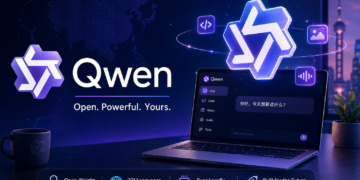






If you’ve been paying attention to AI in 2026, you’ve probably noticed something strange: while OpenAI, Anthropic, and Google trade headlines about their newest closed models, a Chinese AI family has quietly become the most downloaded open AI in the world. That family is Qwen, built by Alibaba Cloud, and by April 2026 it crossed roughly 1 billion downloads and accounts for over half of all open-source model downloads globally.
This post breaks down what Qwen actually is, what makes it special, what you can use it for, and — most importantly — how you can run it on your own laptop, gaming PC, or Mac. No subscription required.
What Is Qwen, in Plain English?
Qwen (pronounced “chwen”, short for the Chinese 通义千问 — “A Thousand Questions”) is Alibaba’s family of large language models. Think of it less as a single product like ChatGPT and more like a brand — the way “Samsung” covers everything from a budget Galaxy phone to a flagship QLED TV or a smart refrigerator.
Inside the Qwen brand you’ll find:
- Tiny models small enough to run on a phone (0.6B parameters)
- Mid-size models that fit on a normal laptop (4B–9B)
- Workstation-class models for serious work (27B–35B)
- Frontier-scale models competing with GPT-5 and Claude Opus (397B+)
The crucial difference from ChatGPT or Claude: most Qwen models are open-weight under the Apache 2.0 license. That means you can download them, run them on your own hardware, modify them, embed them in commercial products, and never send a single byte to Alibaba if you don’t want to.
Open-weight vs open-source: Open-weight means the trained model file is free to download and use. The training data and full source pipeline aren’t always released, but for practical purposes you own the model once it’s on your disk.
Why Qwen Matters Right Now
A few things make Qwen genuinely interesting in 2026:
- It’s free, and good. Qwen3.5-397B-A17B ranks among the top open-source models worldwide, comparable to GPT-5 and Claude Opus on many benchmarks.
- It scales down beautifully. The 4B and 9B models outperform many models 2–3× their size.
- It’s truly multilingual. Qwen3.5 supports 201 languages and dialects (up from 82 in the previous generation).
- You can actually run it. Unlike “open” models that need a $40,000 GPU cluster, much of Qwen runs on consumer hardware.
- It’s multimodal. Newer versions natively handle text, images, audio, and video in one architecture.
The strategic logic is clever: Alibaba makes money from cloud compute, not licensing. Giving the models away drives people toward Alibaba Cloud — and into the hands of indie developers worldwide.
The Qwen Family Tree
Qwen isn’t one model — it’s a tree of specialized branches. Here’s how to read the names.
A model name like Qwen3.5-Coder-32B-Instruct decodes as:
- Qwen — family name
- 3.5 — generation
- Coder — specialized branch (in this case, for code)
- 32B — parameter count (32 billion)
- Instruct — fine-tuned to follow human instructions (vs. a raw “base” model)
The main specialized branches
- Qwen (base/text) — general-purpose language: writing, summarization, chat, reasoning.
- Qwen-Coder — fine-tuned for software development. Qwen3-Coder 480B matches Claude Sonnet 4 on agentic coding benchmarks.
- Qwen-VL (Vision-Language) — handles images, charts, screenshots, and PDFs. Great for OCR, document understanding, and visual question answering.
- Qwen-Audio — speech transcription, sound classification, music understanding, multi-turn voice chat.
- Qwen-Omni — the everything model: text + image + audio + video in one architecture, with streaming voice output.
- Qwen-Math — focused on mathematical reasoning and step-by-step problem solving.
The current generations (as of mid-2026)
- Qwen3 (April 2025) — the workhorse generation; Apache 2.0; sizes from 0.6B to 235B.
- Qwen3.5 (February 2026) — major upgrade. Native multimodal, 201 languages, 397B flagship.
- Qwen3.6 (April 2026) — focus on agentic AI; Qwen3.6-27B (dense) and Qwen3.6-35B-A3B (MoE) are the current sweet spots for self-hosting.
- Qwen3.6-Plus / Max-Preview — Alibaba’s first proprietary (not open-weight) frontier tier, available only via API.
Quick note on MoE vs Dense: A “Mixture of Experts” (MoE) model like 35B-A3B has 35 billion total parameters but only activates ~3 billion at a time. That makes it dramatically faster and cheaper to run while keeping the knowledge breadth of a much larger model.
Real-World Use Cases
What can you actually do with Qwen? Here are concrete examples for both individuals and teams.
Personal & developer use cases
- Private coding copilot. Run Qwen3-Coder locally in VS Code via Continue.dev or Cline. Your proprietary code never leaves your laptop.
- Document analysis without leaks. Drop legal contracts, medical reports, or financial statements into Qwen3.5 running locally — perfect when you can’t legally send data to a cloud API.
- Personal research assistant. Qwen3.6-Plus’s 1M-token context window means you can load an entire book, codebase, or year of email and ask questions across all of it.
- Multilingual writing. Draft, translate, and edit across 201 languages with quality that rivals dedicated translation services.
- OCR and document parsing. Qwen-OCR and Qwen-VL extract text from scanned documents, handwritten notes, tables, and forms in multiple languages.
Business use cases
- Data-compliant chatbots. Run Qwen on US infrastructure (e.g., AWS us-east-1 in N. Virginia ) so customer data never leaves your jurisdiction.
- Voice analytics. Use Qwen-Audio to transcribe customer calls, detect sentiment, and flag compliance issues.
- Customer support agents. Qwen’s “thinking mode” handles multi-step reasoning for complex support questions.
- Code review automation. Self-hosted Qwen3-Coder reviews pull requests inside your private GitLab — no leaking IP to a third party.
- Industry-specific fine-tuning. Because weights are open, you can train Qwen on your own domain (medical, legal, manufacturing) using LoRA/QLoRA.
Hardware: What You Actually Need to Run It Locally
This is the part most articles get wrong, so let’s be concrete. Your options come down to three paths: Apple Silicon (MLX), NVIDIA GPU (CUDA), or renting cloud GPUs.
Path 1: Apple Silicon with MLX
MLX is Apple’s native ML framework that uses unified memory and Metal. On M-series Macs, MLX-optimized Qwen builds run roughly 2× faster than standard PyTorch builds and beat Ollama/llama.cpp by 15–30% on throughput.
The killer feature of Apple Silicon is unified memory — your “VRAM” is your RAM, so a Mac Studio with 128GB can run models that would otherwise need a $30,000 GPU.
| Mac config | Comfortable model size | Example | Realistic speed |
|---|---|---|---|
| M2/M3/M4 base, 16 GB | Up to ~9B at Q4 | Qwen3-8B (Q4) | 25–35 tok/s |
| M3/M4 Pro, 24–36 GB | Up to ~27B at Q4 | Qwen3.6-27B (Q4) | 15–25 tok/s |
| M3/M4 Max, 48–64 GB | 30B–35B MoE at 4-bit MLX | Qwen3.6-35B-A3B | 60+ tok/s |
| M3 Ultra / Mac Studio, 128–512 GB | 100B+ class models | Qwen3.5-122B-A10B | 20–30 tok/s |
Recommended starting point: M-series Mac with 24GB+ unified memory and LM Studio (drag-and-drop GUI) or mlx-lm (CLI).
Path 2: NVIDIA GPU with CUDA
For Windows/Linux PCs, NVIDIA still dominates. The key constraint is VRAM — the model has to fit in your GPU’s memory (or be split across multiple GPUs).
| GPU | VRAM | Best Qwen fit | Notes |
|---|---|---|---|
| RTX 4060 Ti / 5060 Ti | 16 GB | Qwen3-8B / 9B at Q4–Q8 | Great starter setup |
| RTX 4080 / 4090 | 16–24 GB | Qwen3.6-27B at Q4 (~16 GB) | Sweet spot for solo devs |
| RTX 5090 | 32 GB | Qwen3.6-35B-A3B at Q4 (~21 GB) | Best single consumer GPU |
| 2× RTX 4090 / 5090 | 48–64 GB | Qwen3-72B or 100B+ MoE at Q4 | Tensor parallelism via vLLM |
| H100 / A100 (80 GB) | 80 GB | Qwen3.5-397B at heavy quant | Cloud-rented |
Quick rule of thumb for quantization:
- Q4_K_M — best default. ~75% smaller than full precision with minor quality loss.
- Q5_K_M — sweet spot if you have a little VRAM headroom.
- Q8_0 — near-lossless; use if you’ve got the memory.
- NVFP4 — new Blackwell-native (RTX 50-series) 4-bit format; even more efficient than Q4_K_M on supported hardware.
Path 3: Cloud GPUs (when local isn’t enough)
If you want to run the really big models — Qwen3.5-397B or Qwen3-Coder-480B — you’ll need rented infrastructure:
- RunPod / Vast.ai / Lambda Labs — rent H100s by the hour ($2–$4/hr typical).
- Alibaba Cloud Model Studio (DashScope) — official API; new accounts get 1M input + 1M output free tokens for 90 days. Smallest model API starts around $0.01/M tokens.
- AWS Bedrock (US East/West) — managed Qwen with full US data residency, useful for meeting federal and state data compliance requirements.
- OpenRouter — proxy access to many Qwen variants with one API key.
A 5-Minute Setup: Run Qwen on Your Machine Today
Here’s how to be running Qwen in literally five minutes, depending on your OS.
Option A: Ollama (easiest, works everywhere)
Install Ollama from ollama.com, then in a terminal:
# Small and fast — runs on any modern laptop
ollama run qwen3:8b

# Sweet-spot for 24GB machines
ollama pull qwen3.6:27b

# Top-tier coding model for 24GB+ VRAM
ollama pull qwen3.6:35b-a3b-coding
Ollama auto-detects your GPU, downloads the right quantization, and gives you a chat interface immediately.
Option B: LM Studio (best GUI)
- Download LM Studio.
- Search “Qwen 3.5 MLX” (on Mac) or “Qwen 3.6 GGUF” (on Windows/Linux).
- Pick a model labeled green (“Will run on your hardware”).
- Click “Load” and start chatting.
LM Studio also exposes an OpenAI-compatible API at http://localhost:1234, so any app that talks to OpenAI can talk to your local Qwen.
Option C: MLX on Apple Silicon (fastest on Mac)
pip install mlx-lm

mlx_lm.generate \
  --model mlx-community/Qwen3-8B-Instruct-4bit \
  --prompt "Explain quantum entanglement in two paragraphs."
Option D: vLLM on NVIDIA (best for production serving)
# Serve Qwen3.6-27B on a single 24GB GPU
vllm serve Qwen/Qwen3.6-27B --quantization awq

# Serve Qwen3-72B across 2 GPUs
vllm serve Qwen/Qwen3-72B --tensor-parallel-size 2
Practical Local-Use Examples
A few concrete projects you can build today with a local Qwen install:
- Private “ChatGPT” for your company. Run Qwen3.6-27B on a single workstation, connect it to LM Studio or Open WebUI, and your team has a private chat assistant with zero data leakage.
- Code review bot. Run Qwen3-Coder via Ollama and point a GitHub Action at
localhost:11434. Every PR gets reviewed by AI before a human looks at it — and no proprietary code touches a third-party server. - Document Q&A on confidential PDFs. Combine Qwen3.5-9B with a vector database like Chroma. Drop legal contracts in; ask questions; nothing leaves your laptop. Great for lawyers, doctors, accountants.
- Offline travel translator. Qwen 4B running on a MacBook Air handles real-time translation across 201 languages — no internet required. Useful for journalists, NGO workers, anyone in low-connectivity environments.
- Voice-controlled home automation. Qwen-Audio + Home Assistant gives you a Siri replacement that never phones home.
- Personal research librarian. Feed Qwen3.6-Plus (via API) your entire Zotero library or year of saved articles, then ask cross-document questions thanks to the 1M-token context.
How Qwen Compares to the Competition
Qwen’s main open-weight rivals are Meta’s Llama and DeepSeek. The simplified picture in 2026:
- Qwen — widest model size range, strongest multilingual, best multimodal breadth, most active release cadence.
- Llama — strong dense models, very mature ecosystem, but smaller size range and slower release pace.
- DeepSeek — exceptional reasoning and math; fewer specialized variants.
Against closed models (GPT-5, Claude Opus, Gemini 2.5), Qwen’s frontier flagships are competitive but not clearly ahead. Where Qwen wins decisively is on price-per-token, on local deployment, and on the freedom to fine-tune.
What to Watch Out For
A few honest caveats:
- Some newer Qwen models are no longer open. Qwen3.6-Plus and Qwen3.6-Max-Preview are API-only. Alibaba is starting to keep its frontier behind a paywall — same playbook other Chinese labs have run.
- License nuances exist. Most Qwen models are Apache 2.0 (fully permissive), but a few — especially the largest older versions — use the more restrictive Qwen Research License. Always check the model card.
- Censorship. Qwen models reflect Chinese regulatory norms on politically sensitive topics. For most business uses this doesn’t matter; for journalism and political research it might.
- VRAM creep. Long contexts (100K+ tokens) eat memory fast. Plan for 30–50% more VRAM than the base model needs if you’re processing long documents.
Key Takeaways
- Qwen is Alibaba’s open-weight AI family — pronounced “chwen,” covering text, code, vision, audio, and multimodal models.
- It’s the most downloaded open AI in the world as of 2026, with roughly 1 billion downloads and 50%+ of global open-model usage.
- Most models are Apache 2.0 licensed — free for commercial use, fine-tuning, and self-hosting.
- You can run useful Qwen models on consumer hardware: an 8B model fits on a 16GB MacBook; a 27B coding model runs on a 24GB GPU.
- Three main paths to run locally: Ollama (easiest), LM Studio (best GUI), or MLX/vLLM (fastest performance).
- Practical use cases include private code assistants, Data-compliant chatbots, document Q&A on confidential data, offline translation, and voice interfaces — all without sending data to a third party.
- Watch the license on newer Qwen 3.6 “Plus” and “Max” models, which are moving to proprietary.
If you’ve been frustrated by API rate limits, monthly subscriptions, or sending sensitive data to third-party AI providers, Qwen is the easiest entry point into running serious AI locally. Pick an 8B model, install Ollama, and you’ll have a free, private, capable AI assistant on your machine in under ten minutes.
Welcome to 2026 — where the best AI in your pocket might just be Chinese, open, and yours.