




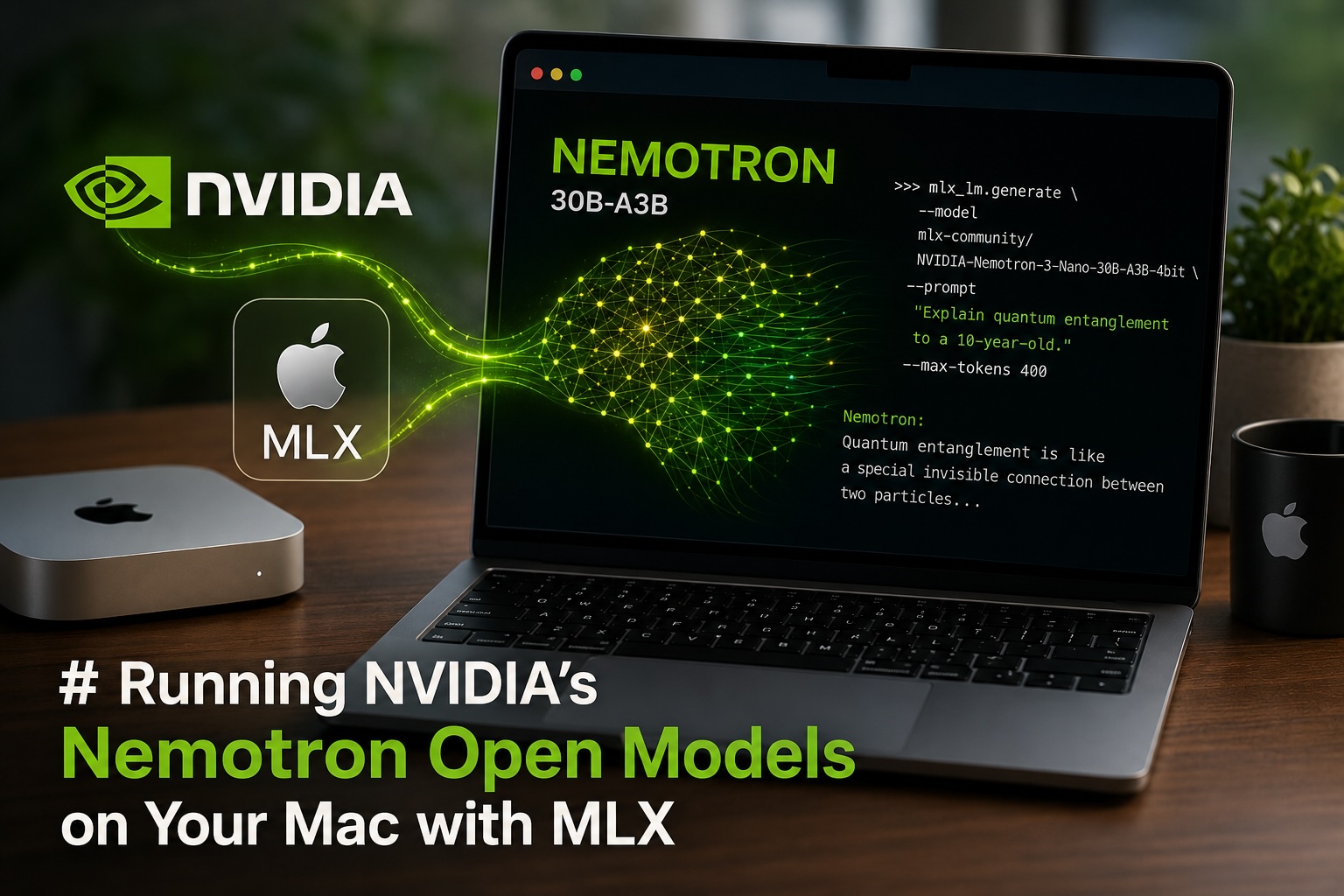

Running NVIDIA’s Nemotron Open Models on Your Mac with MLXApple Silicon and NVIDIA AI in the same sentence used to feel like a contradiction. In 2026, it’s a workflow — and a surprisingly good one. NVIDIA’s open-weight Nemotron models can now run natively on your M1, M2, M3, M4, or M5 Mac using Apple’s MLX framework, with no GPUs, no cloud bills, and no data leaving your laptop.
This guide walks you through what Nemotron actually is, why MLX makes it fast on a Mac, how to install everything in a few minutes, and the real-world things you can do with it.
What Is Nemotron, in Plain English?
Think of Nemotron as NVIDIA’s answer to Llama, Qwen, and Mistral: a family of open-weight large language models that anyone can download, inspect, fine-tune, and ship in commercial products.
What makes Nemotron interesting:
- Genuinely open. NVIDIA publishes the weights, the training datasets, and the recipes used to build them. Most “open” models only release the weights.
- Built for agents. The models are tuned to do multi-step work — call tools, browse, run code — not just chat.
- Efficient by design. They use a Mixture-of-Experts (MoE) architecture, which is a bit like a hospital: you don’t summon every doctor for every patient, just the relevant specialist.
The current lineup at a glance:
| Model | Total Params | Active Params | Best For |
|---|---|---|---|
| Nemotron 3 Nano 9B / 12B v2 | 9B / 12B | dense | Laptops, fast chat, on-device agents |
| Nemotron 3 Nano 30B-A3B | 30B | 3.5B | The sweet spot for Apple Silicon |
| Nemotron 3 Nano Omni | 30B | 3B | Multimodal (text + image + audio + video) |
| Nemotron 3 Super | 120B | 12B | Workstation-class, long-context agents |
For Macs, the 30B-A3B Nano is the model most people will reach for. Despite the “30B” label, only 3.5 billion parameters are active per token, so it generates text at speeds closer to a 3B model while reasoning like a much larger one.
Why MLX Changes the Game on a Mac
MLX is Apple’s open-source machine-learning framework, purpose-built for the M-series chips. The key trick: unified memory. On a Mac, the CPU and GPU share the same RAM, so a 36 GB MacBook Pro can load a 30B model that would normally require a dedicated GPU with 24+ GB of VRAM.
In practice, this means:
- A base M4 Mac mini is now a viable LLM development machine.
- A 32–64 GB MacBook Pro can run the full Nemotron 3 Nano 30B in 4-bit quantization at roughly 80–100 tokens per second.
- Reported benchmarks show an M4 Pro outperforming an M2 Max on Nemotron with MLX — recent Apple chips have specifically optimized for this kind of model.
Compare that to two years ago, when running a 30B model locally on a Mac meant either painful llama.cpp compiles or simply giving up.
What You’ll Need
Before you start, check that you have:
- A Mac with an M1 or newer Apple Silicon chip (M2, M3, M4, or M5 all work)
- macOS 14 (Sonoma) or later
- Python 3.10+ installed (via python.org or
brew install python) - Free disk space: ~18 GB for the 4-bit Nano, ~32 GB for 8-bit, ~70+ GB for the Super
- RAM guidance: 16 GB works for smaller variants, 32 GB+ recommended for the 30B Nano, 64 GB+ for comfort, 128 GB+ if you want to try the Super
Method 1: The Easy Path — LM Studio
If you just want to chat with Nemotron in a clean UI without touching the terminal:
- Download LM Studio for Mac (free).
- Open the app and search for
Nemotron 3 Nano. - Pick an MLX variant —
NVIDIA-Nemotron-3-Nano-30B-A3B-MLX-4bitis a great starting point. - Click Download, then Load Model, then start chatting.
LM Studio also exposes a local OpenAI-compatible API on http://localhost:1234/v1, which means any tool that talks to OpenAI (Cursor, Continue, custom scripts) can point at your Mac instead.
Method 2: The Developer Path — mlx-lm
For more control, scripting, and integration into your own apps, install mlx-lm, the official Python package from the MLX team.
Step 1: Set up a clean environment
# Create a virtual environment so you don't pollute your system Python
python3 -m venv ~/nemotron-env
source ~/nemotron-env/bin/activate

# Install mlx-lm
pip install --upgrade mlx-lm
Step 2: Run Nemotron from the command line
The fastest way to verify everything works:
mlx_lm.generate \
  --model mlx-community/NVIDIA-Nemotron-3-Nano-30B-A3B-4bit \
  --prompt "Explain quantum entanglement to a 10-year-old." \
  --max-tokens 400
The first run downloads the model (a few minutes on a decent connection). After that, it’s cached locally and starts in seconds.
Step 3: Use it from Python
from mlx_lm import load, generate

model, tokenizer = load(
    "mlx-community/NVIDIA-Nemotron-3-Nano-30B-A3B-4bit"
)

messages = [
    {"role": "user", "content": "Write a Python function that detects palindromes."}
]
prompt = tokenizer.apply_chat_template(
    messages, add_generation_prompt=True, tokenize=False
)

response = generate(model, tokenizer, prompt=prompt, verbose=True, max_tokens=500)
print(response)
Step 4: Run it as a local server
To use Nemotron from other apps (VS Code extensions, Raycast, your own web UI), launch the built-in OpenAI-compatible server:
mlx_lm.server \
  --model mlx-community/NVIDIA-Nemotron-3-Nano-30B-A3B-4bit \
  --port 8080
Now any client that speaks the OpenAI API can hit http://localhost:8080/v1/chat/completions.
A note on the 30B Nano
The 30B Nano uses a hybrid Mamba2-Transformer architecture, which is still maturing in mlx-lm. If you hit issues, the 9B or 12B v2 variants are fully supported and excellent for most laptop workflows. The LM Studio community builds (lmstudio-community/...) tend to be the most thoroughly tested MLX conversions.
Real-World Use Cases
This isn’t just a party trick. Here’s what people are actually doing with local Nemotron on Macs:
1. A private coding assistant
Point Cursor, Continue, or Zed at your local mlx_lm.server. You get autocomplete and chat that never sends a line of code to a third party — useful for client work, regulated industries, or just peace of mind.
2. Document Q&A over sensitive data
Feed legal contracts, medical notes, or internal HR documents into a local RAG pipeline. Because Nemotron supports up to a 1M-token context window, you can stuff entire codebases or case files in directly without slicing them up.
3. Offline agentic workflows
Nemotron is post-trained specifically for tool use. Hook it up to a framework like LangGraph or PydanticAI and let it browse local files, run scripts, or query a SQLite database — all without an internet connection. Great for plane rides and air-gapped environments.
4. Batch text processing
Need to summarize 5,000 customer reviews, classify support tickets, or translate documentation? Loop over the dataset with your local model. The cost is electricity instead of $0.30 per million tokens — small numbers, but they add up over a real workload.
5. Learning and experimentation
Because the weights and training recipes are open, Nemotron is one of the best models to actually understand. You can fine-tune it on a 64 GB Mac using MLX’s LoRA tools, inspect attention patterns, or swap layers around.
A Few Practical Tips
- Start with 4-bit. Quality loss is minimal for most tasks and memory usage drops dramatically. Move up to 6-bit or 8-bit if you notice quality issues.
- Keep an eye on Activity Monitor. Watch the “Memory Pressure” graph. If it goes yellow or red, drop to a smaller quant or a smaller model.
- Close Chrome. Genuinely. A 30B model and 80 browser tabs do not coexist peacefully on a 32 GB machine.
- Use the reasoning toggle. Nemotron 3 Nano has a built-in reasoning mode — turn it on for complex problems, off for fast chat. The system prompt controls this.
Why This Matters Right Now
Three trends collided to make this possible in 2026:
- Open weights got serious. Nemotron 3 Super genuinely competes with closed frontier models on agentic benchmarks at roughly 10x lower cost.
- Apple Silicon kept getting better. The M4 and M5 generations specifically optimized their GPUs and Neural Engines for transformer workloads.
- MLX matured. It’s now competitive with — and sometimes faster than — llama.cpp on Apple hardware, with cleaner Python ergonomics.
The result: a single laptop you already own can run models that, two years ago, required a $40,000 server.
Key Takeaways
- Nemotron is NVIDIA’s open-weight model family, designed for efficient agentic AI with fully published weights, data, and recipes.
- MLX is Apple’s native ML framework that exploits unified memory to run large models on standard Macs.
- The 30B-A3B Nano variant is the sweet spot: large-model quality, small-model speed, fits on a 32 GB Mac in 4-bit.
- Two install paths: LM Studio (GUI, easiest) or
pip install mlx-lm(scriptable, flexible). - Real value lies in privacy-sensitive coding, document analysis, offline agents, batch processing, and learning.
- Hardware sweet spot: 32–64 GB M-series Mac. More RAM unlocks bigger models, but even a base M4 mini is now genuinely useful.
The bigger story is the shift this represents. The best open models are no longer something you rent by the million tokens — they’re something you run on the laptop next to you. NVIDIA publishing them, Apple optimizing for them, and the open-source community converting them is a quiet but significant moment in AI’s democratization.
Go install one and see for yourself.